Playbook · Claude Code × LinkedIn
Schedule LinkedIn posts with Claude Code
Claude drafts a post for your company page and sends it to Slack. You approve, it posts. The official LinkedIn API, no MCP server, eight steps.
- Time
- About 10 minutes, plus LinkedIn's review for page posting and ads
- Cost
- Free. The LinkedIn API has no fee; you need a Claude plan with Claude Code.
- You get
- Researched drafts in Slack, posted on approve, plus LinkedIn Ads answers
Watch the walkthrough
Under four minutes on YouTube, every click on screen, with a voice-over. Prefer reading? Every step is written out below.
 Watch on YouTube · 4 min
How it works: draft, edit, approve, posted
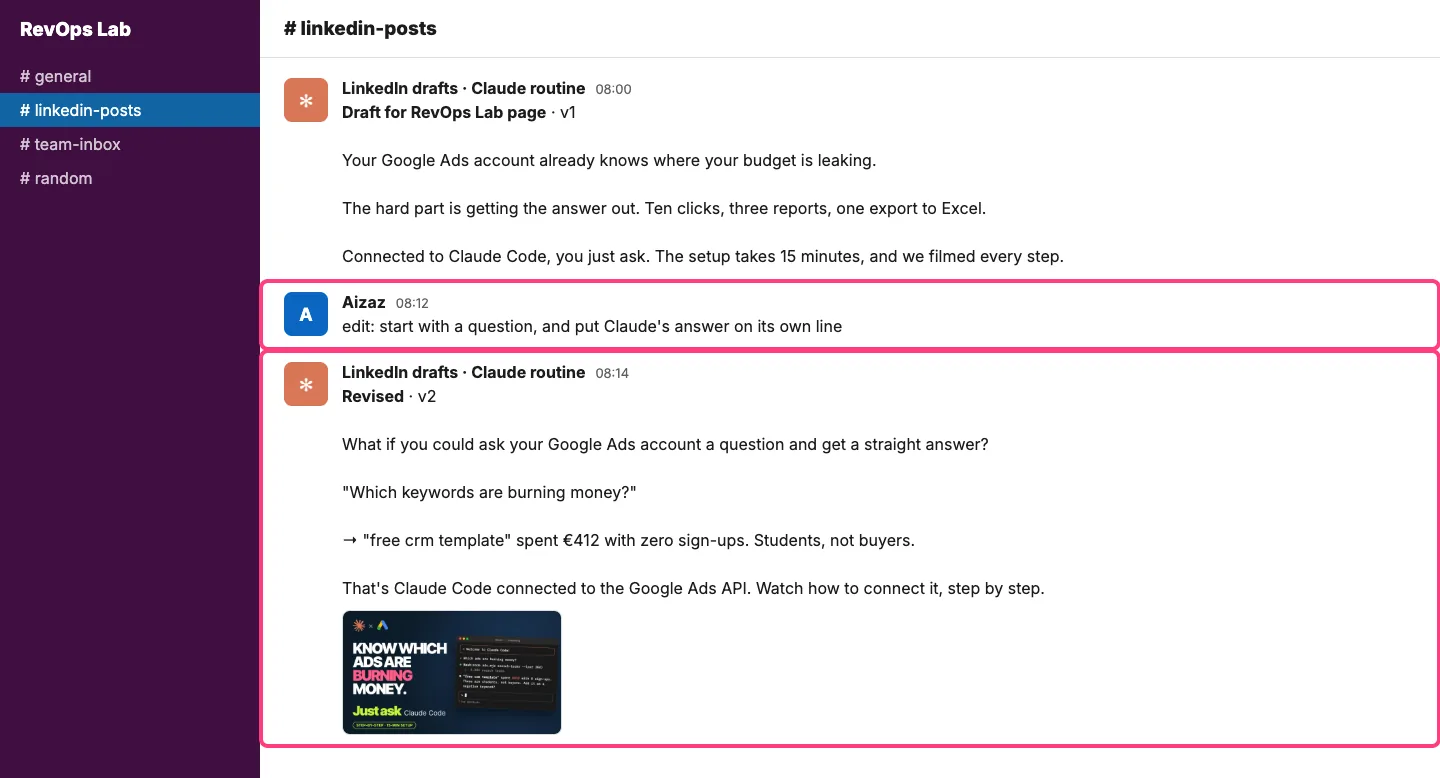
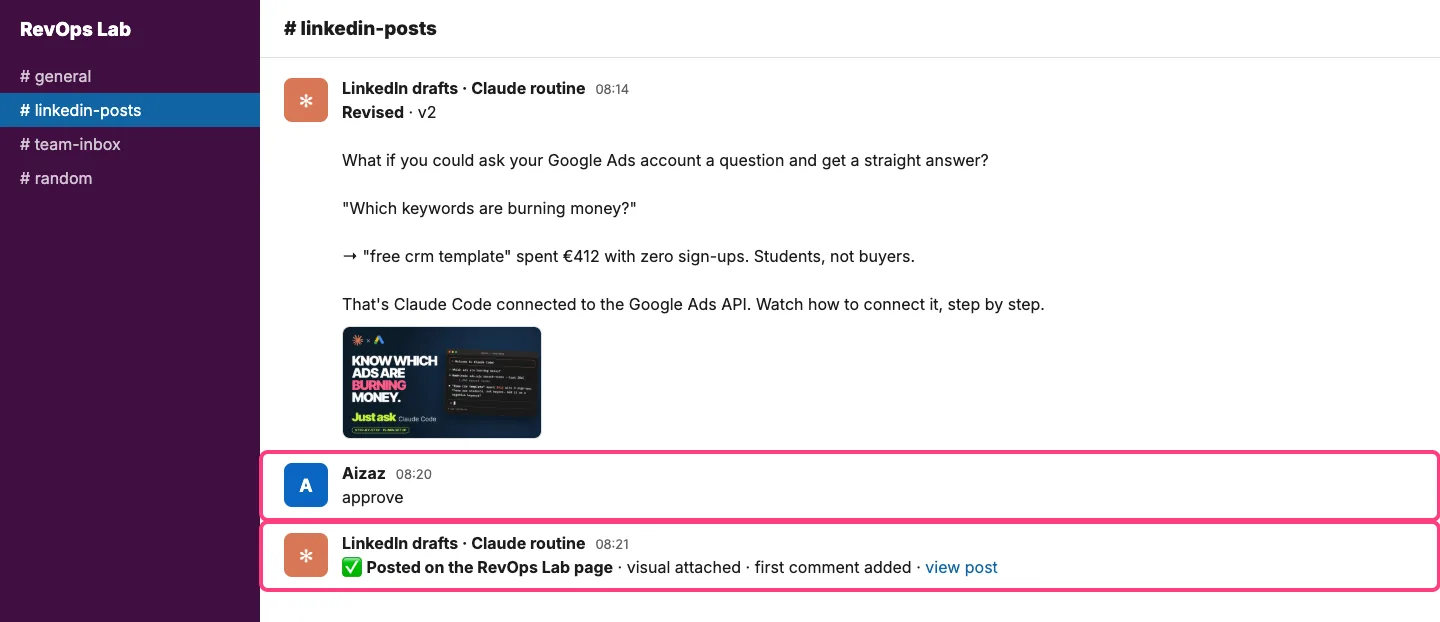
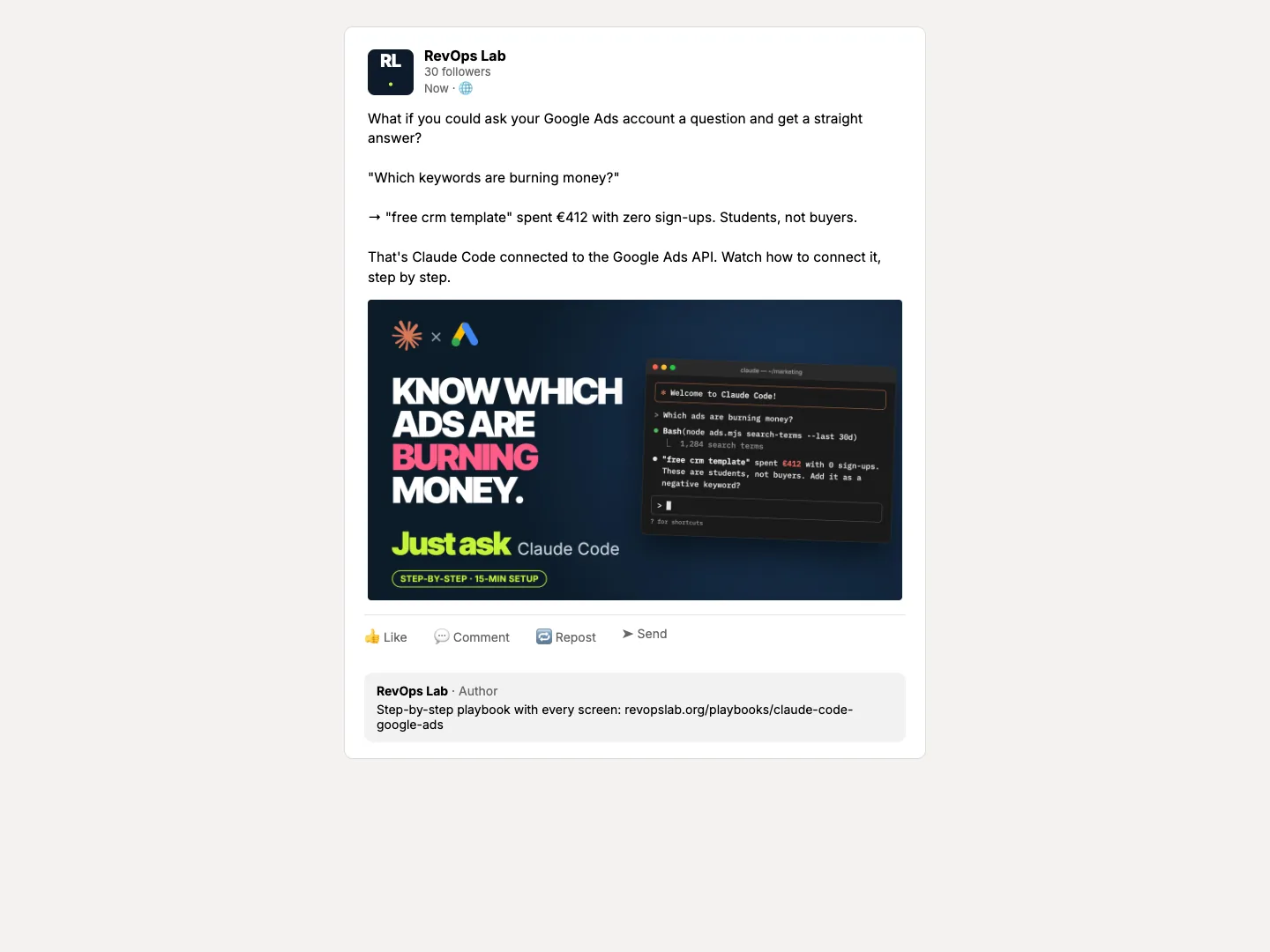
Every weekday morning the routine sends one researched draft to Slack (or Notion, wherever your team reviews). You reply edit: with what to change and a new version arrives. You reply approve and it is published on your company page with a visual and a first comment. You never open LinkedIn.
What you need
1
A LinkedIn company page
You must be an admin. The app is verified with this page.
2
Claude Code
On a Claude Pro, Max, Team or Enterprise plan. It writes the scripts, runs the sign-in and the routine.
3
Slack or Notion
Where drafts arrive and you reply edit or approve. Connect it in Claude's settings.
Setup · LinkedIn API · no MCP server
Connect Claude Code to LinkedIn in 8 steps
- 1
Create a LinkedIn API app
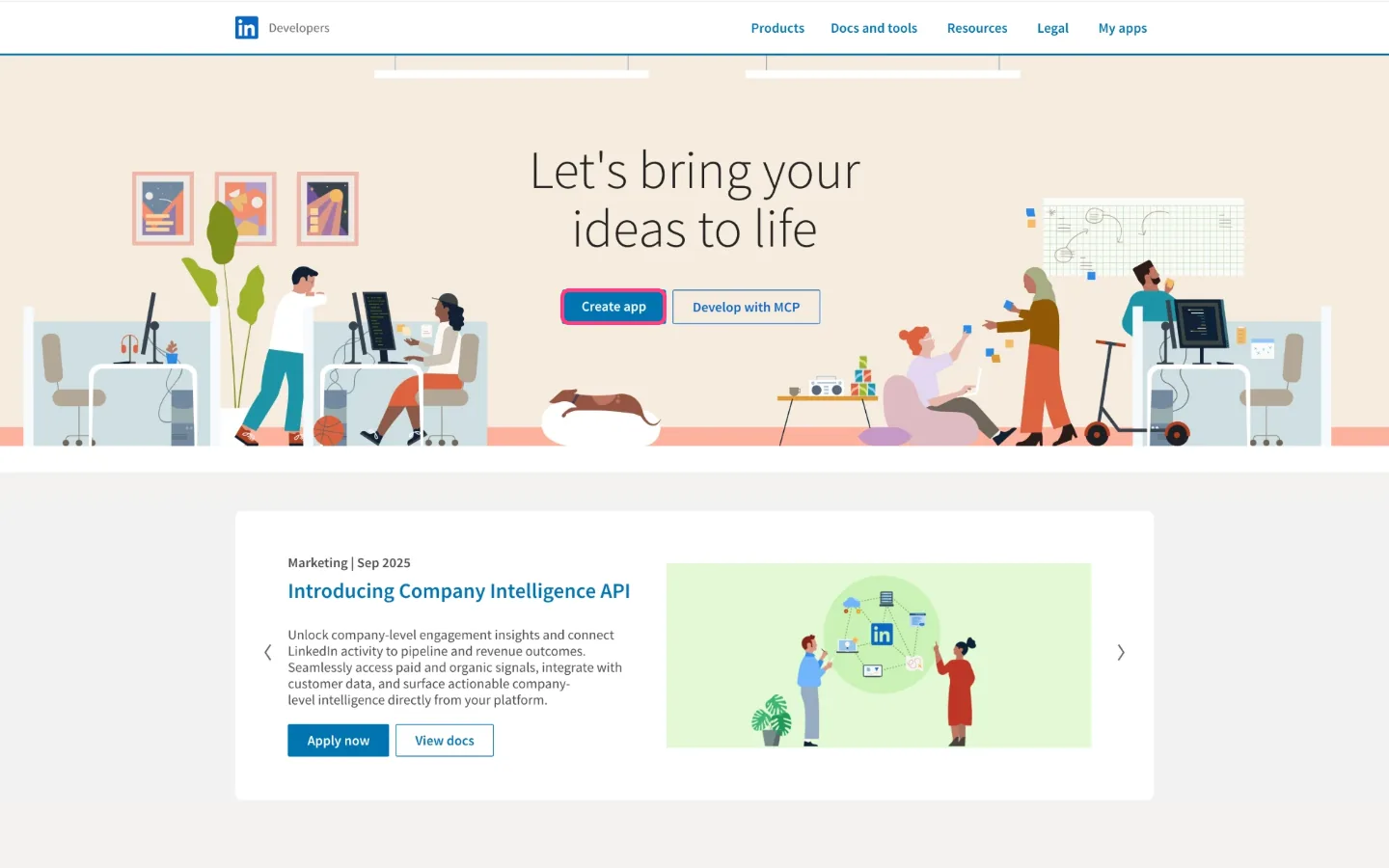
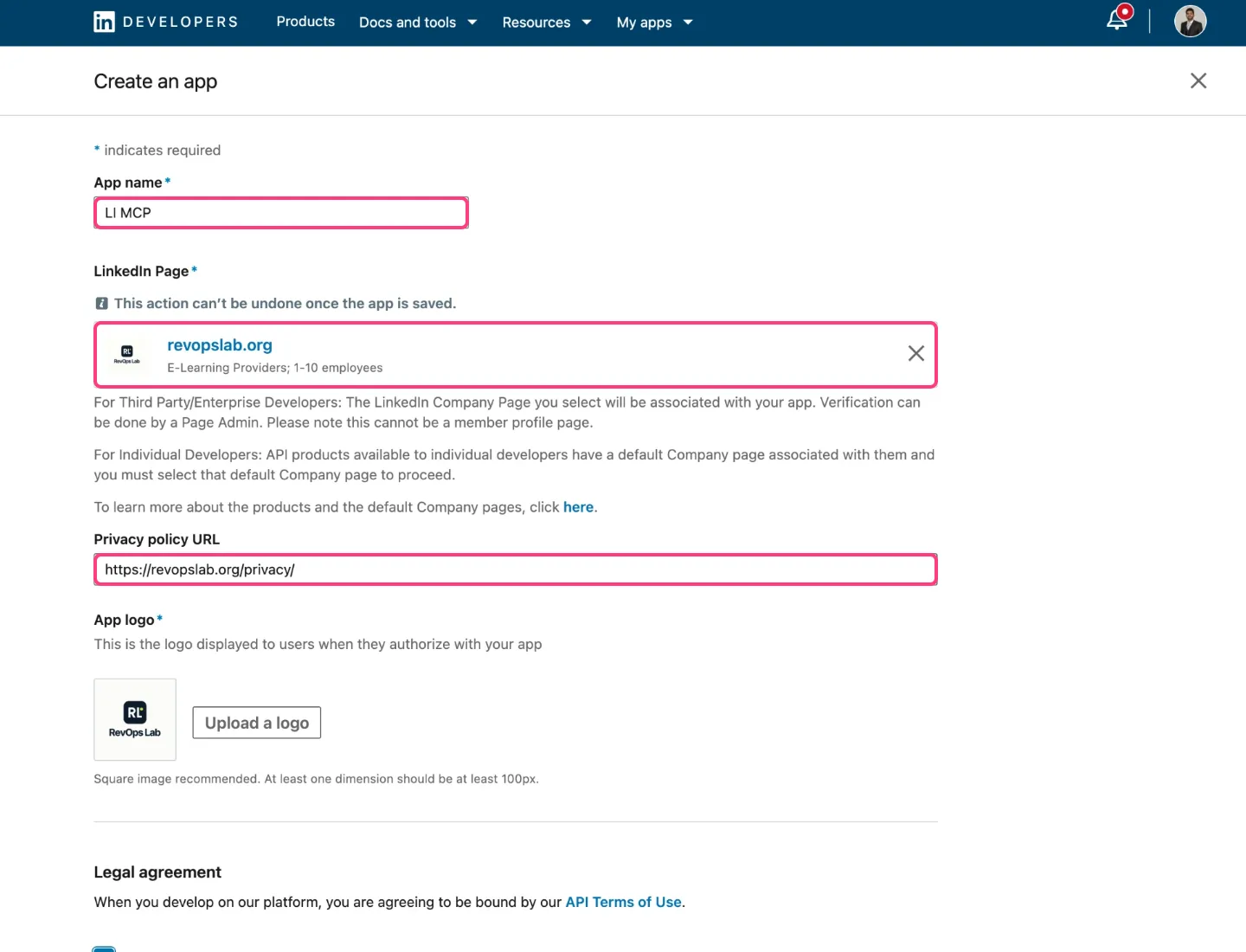
Go to developer.linkedin.com and click Create app. Give it a name, pick your company page, add your privacy policy link and a logo, accept the terms and create it. You need to be an admin of that page.
- 2
Verify the app with your company page
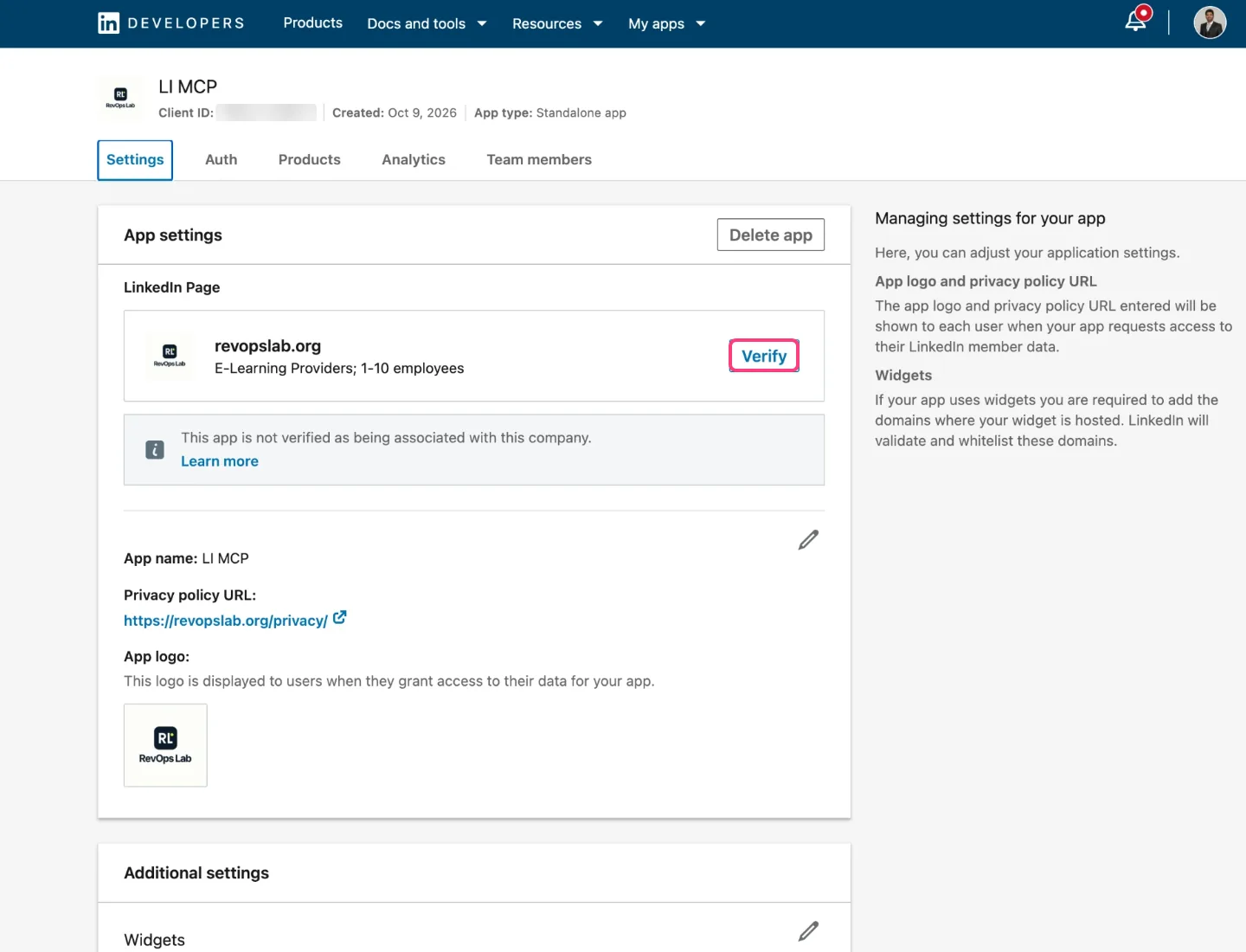
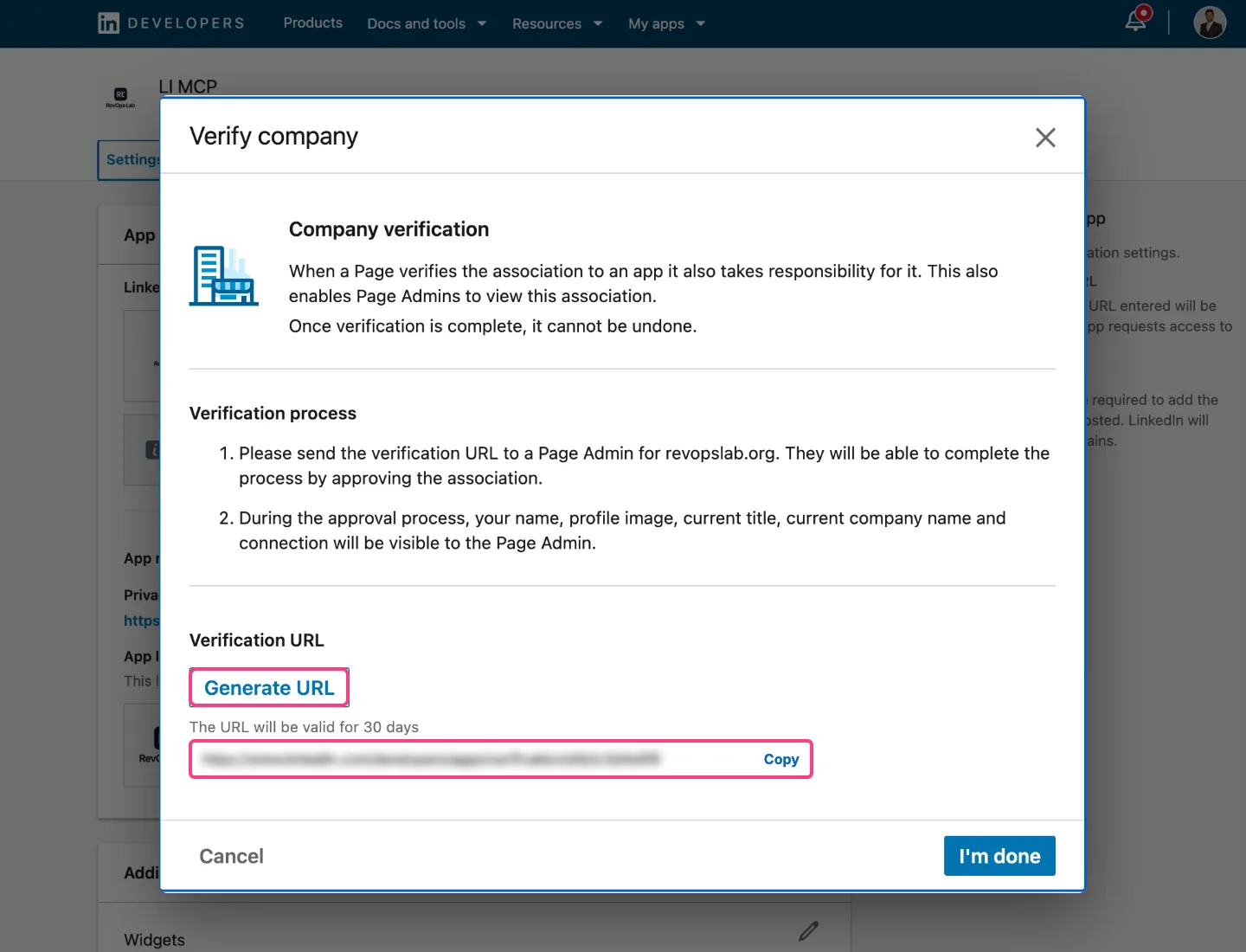
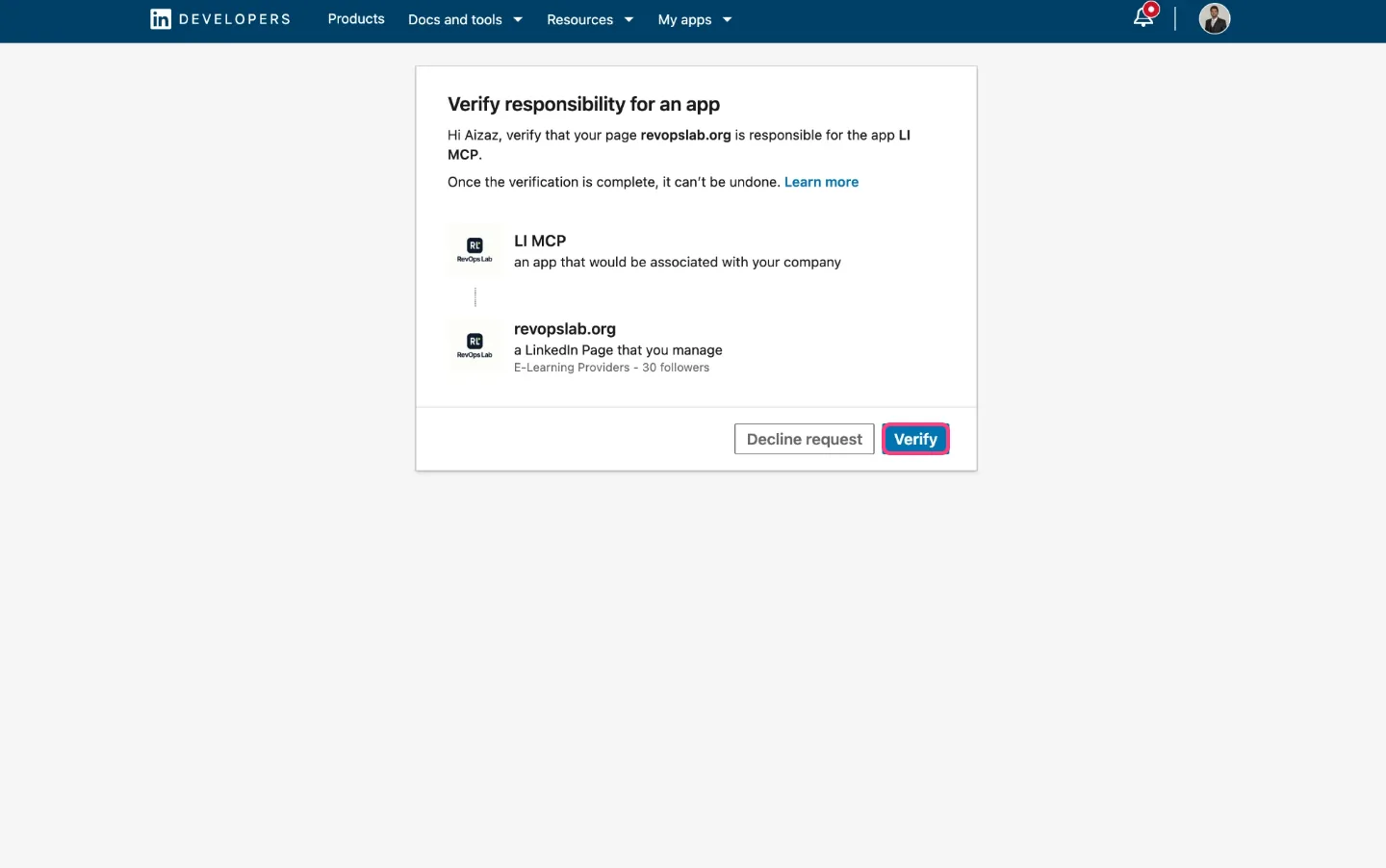
Open the Settings tab and click Verify, then Generate URL and copy the link. Open it in a new tab. As page admin you approve it yourself: click Verify, confirm, and continue to LinkedIn Developers.
- 3
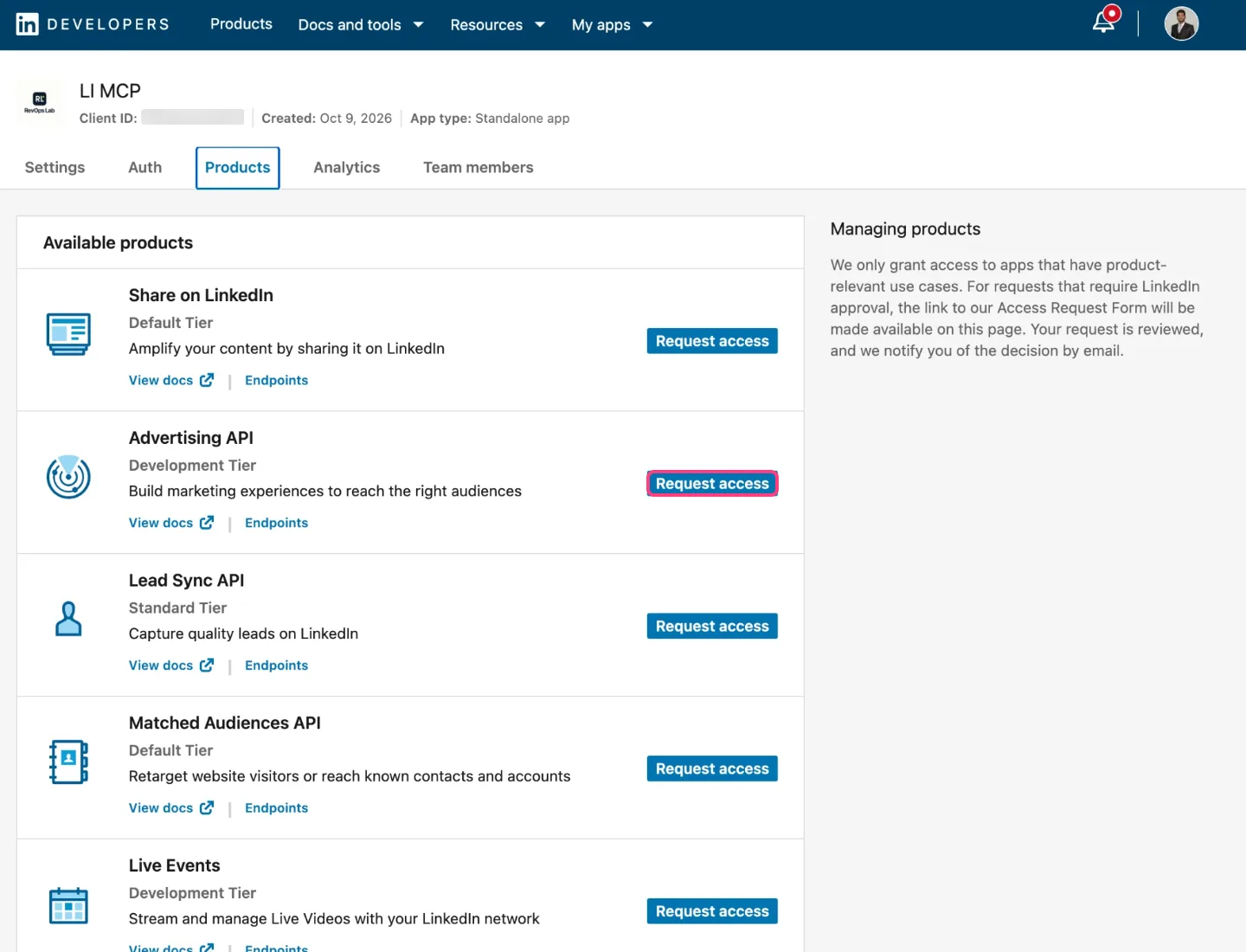
Request Share on LinkedIn
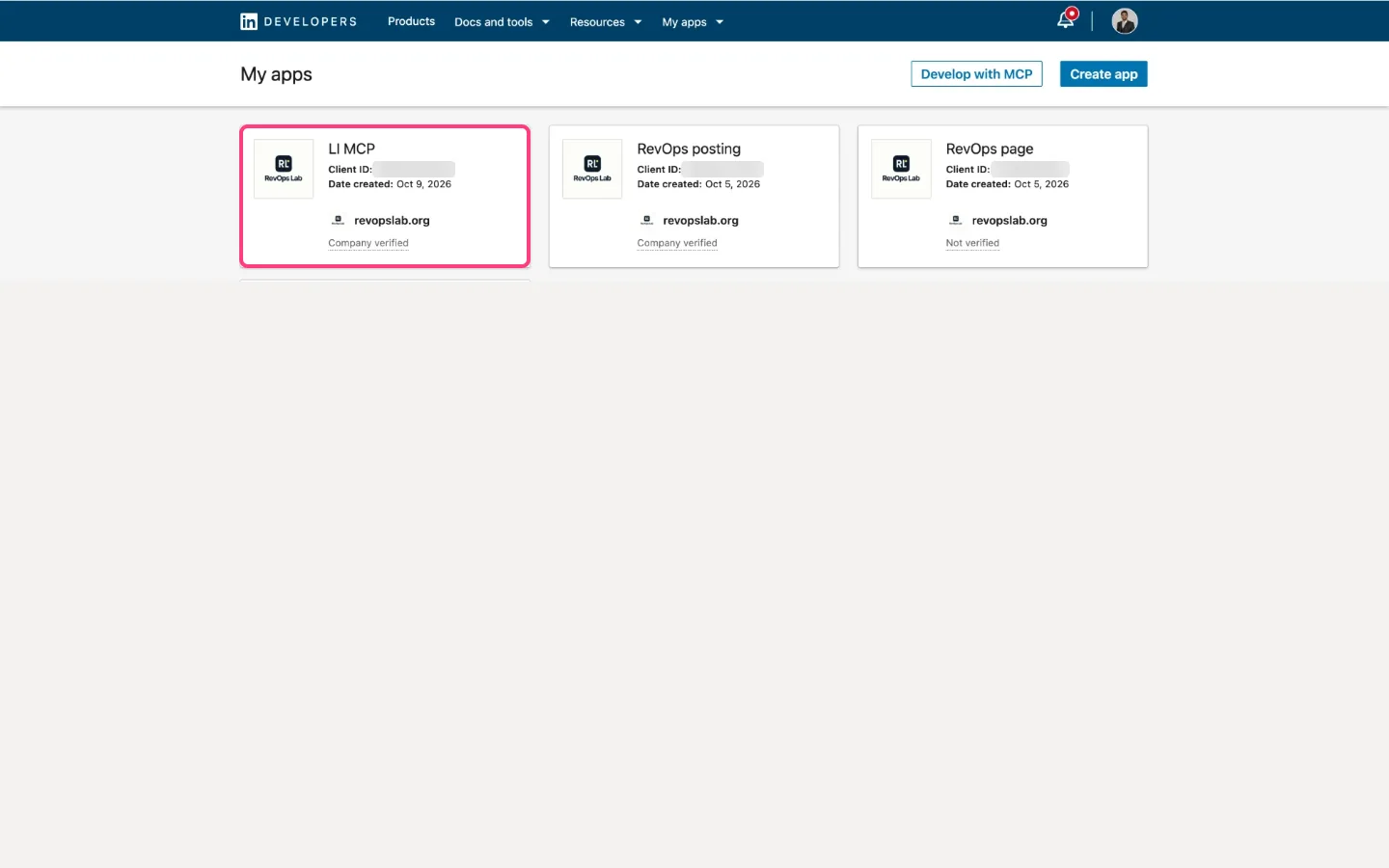
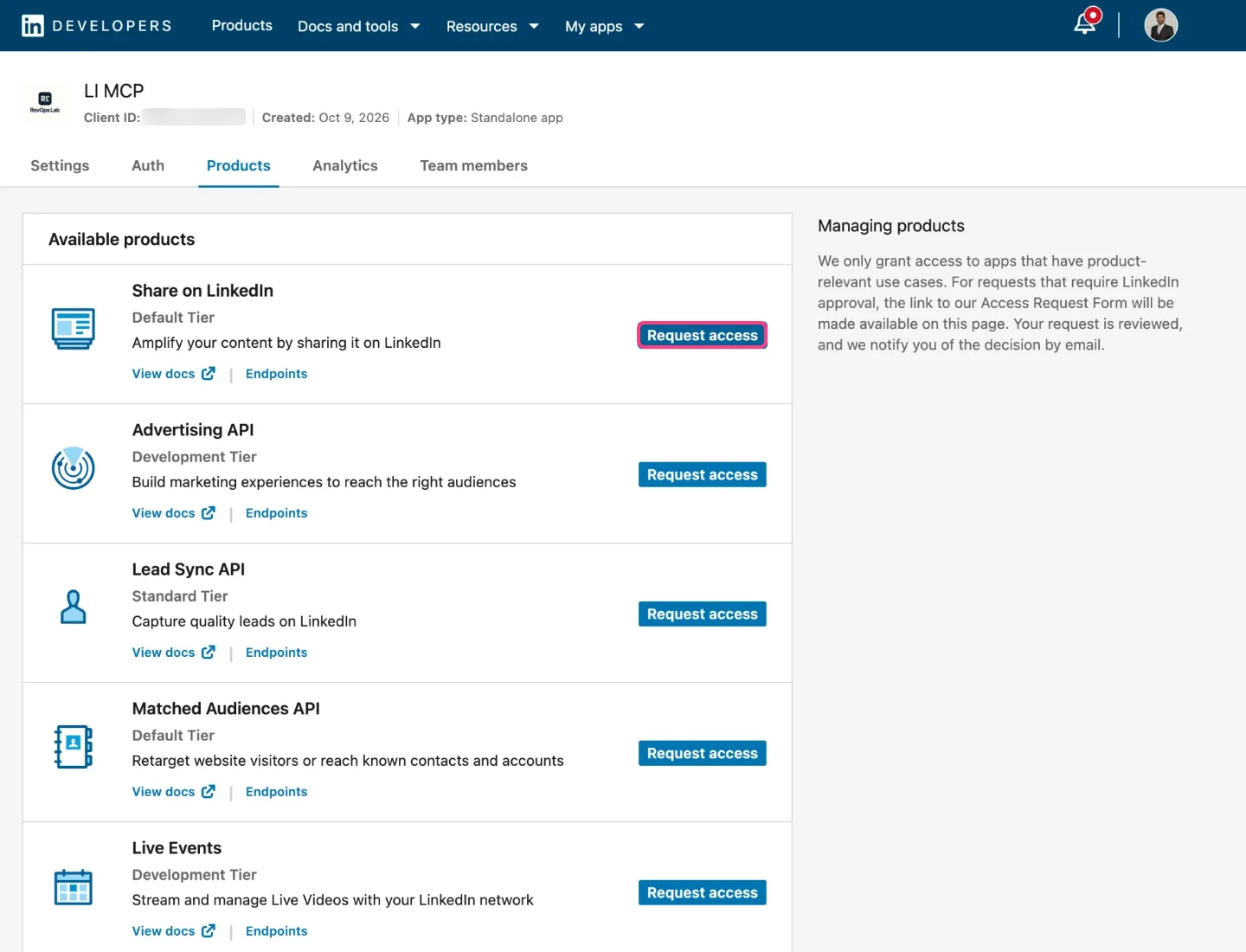
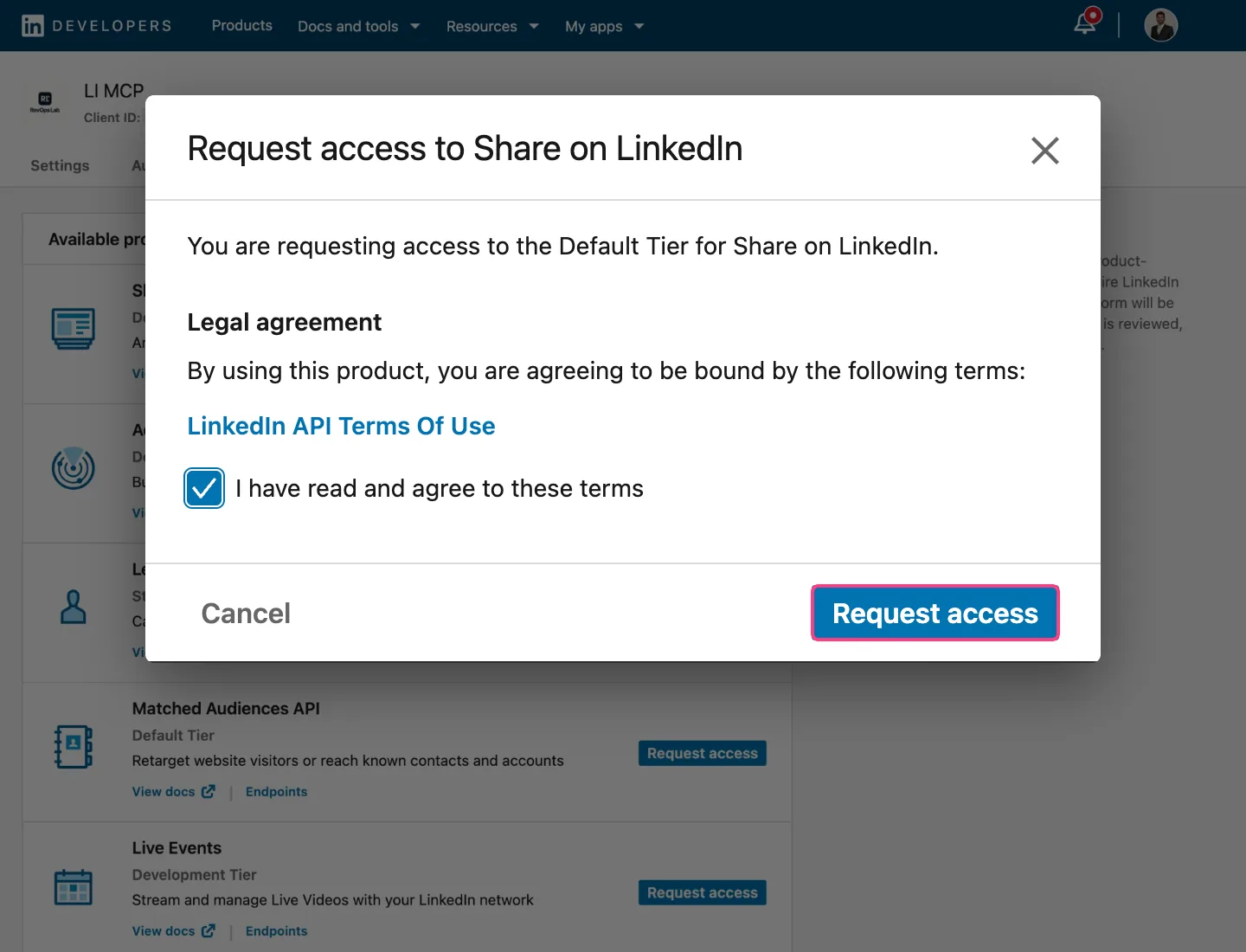
Click My apps at the top and open your app. On the Products tab, click Request access next to Share on LinkedIn, accept the terms and request it. It is approved straight away and lets Claude post as you.
- 4
Add Sign In and the Advertising API
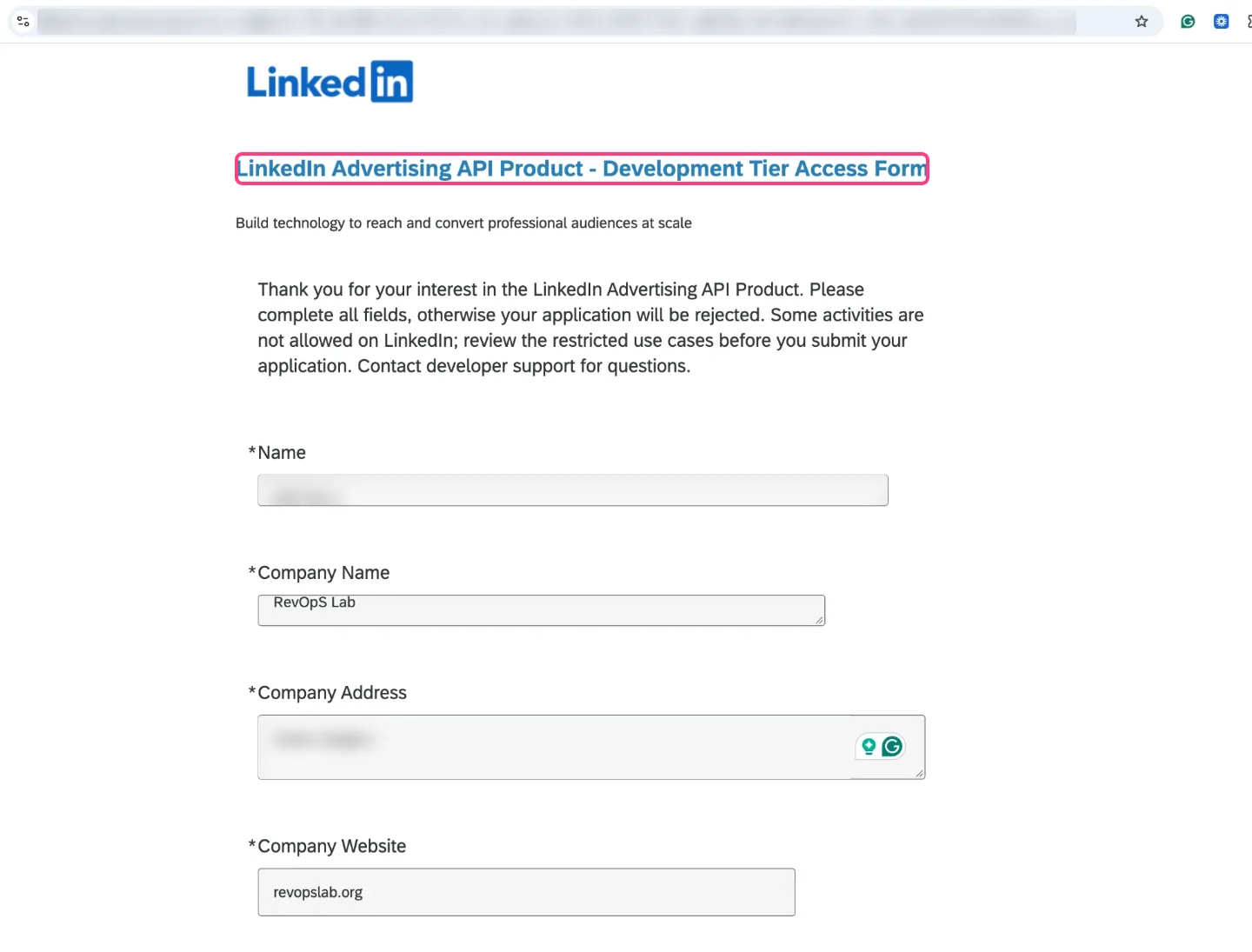
Request Sign In with LinkedIn using OpenID Connect the same way (also instant). If you want ads data, request the Advertising API and fill in the short form. LinkedIn reviews that one, so request it today even if you start with posts.
- 5
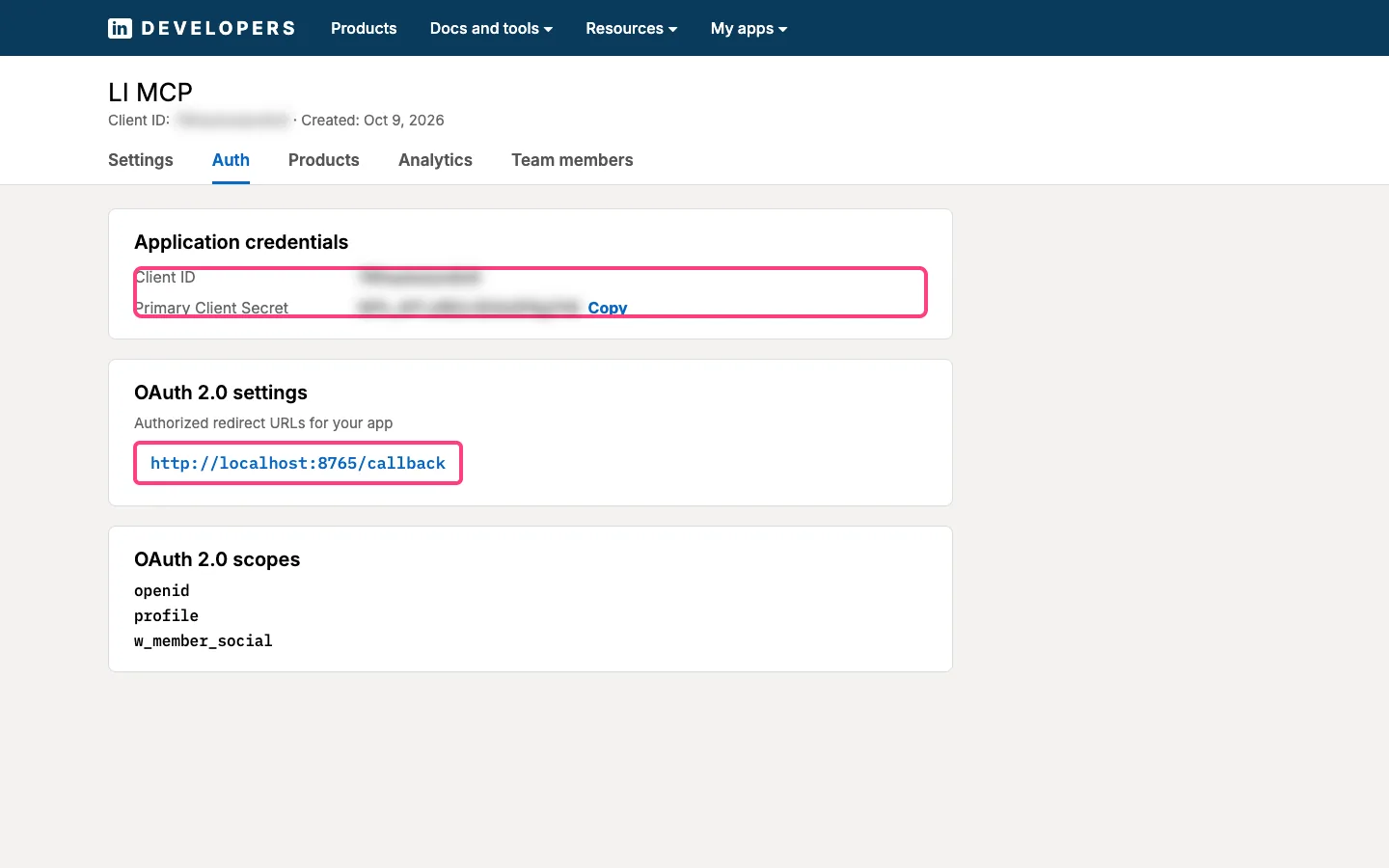
Copy the client ID and secret, add the redirect URL
Open the Auth tab. You will copy the client ID and the primary client secret in the next step. Further down, under Authorized redirect URLs for your app, add the link Claude Code gives you (for example http://localhost:8765/callback). It is where LinkedIn sends you back after you click Allow.
- 6
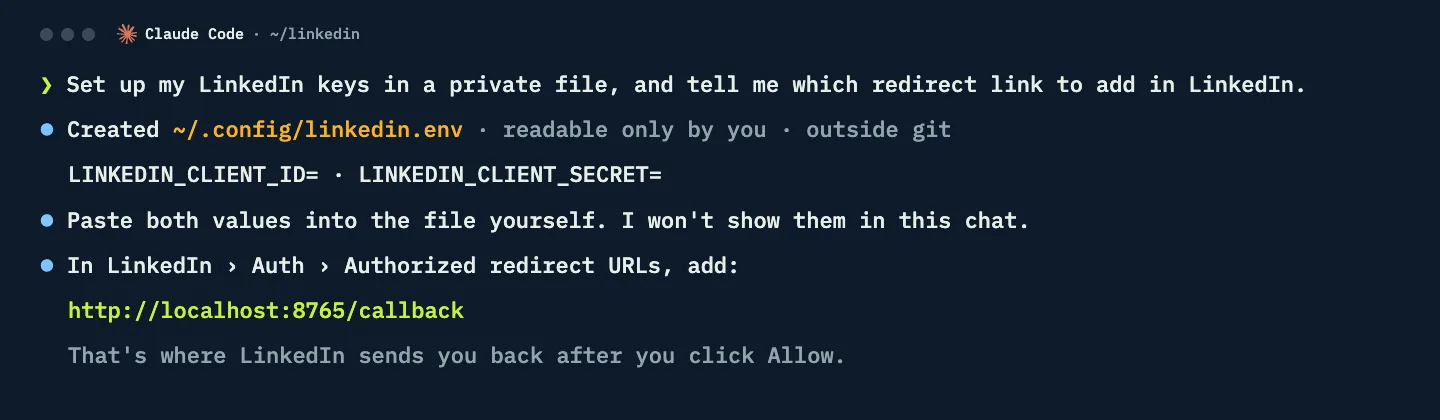
Keep the keys in a private file
Ask Claude Code to create a private settings file outside your project and to tell you which redirect link to add in LinkedIn. Paste the client ID and secret into the file yourself. Keys never go in the chat, your code or a repository.
- 7
Sign in once
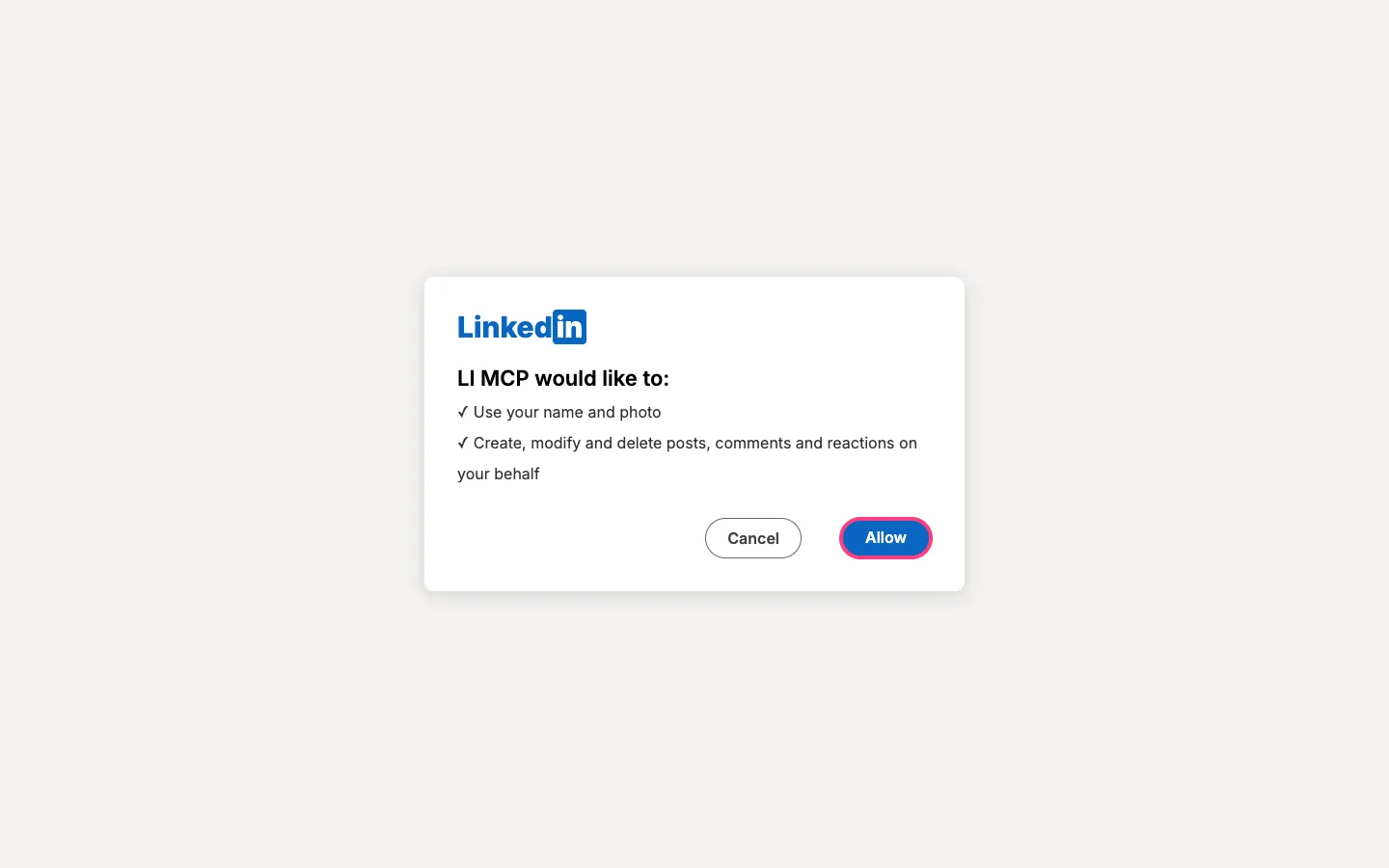
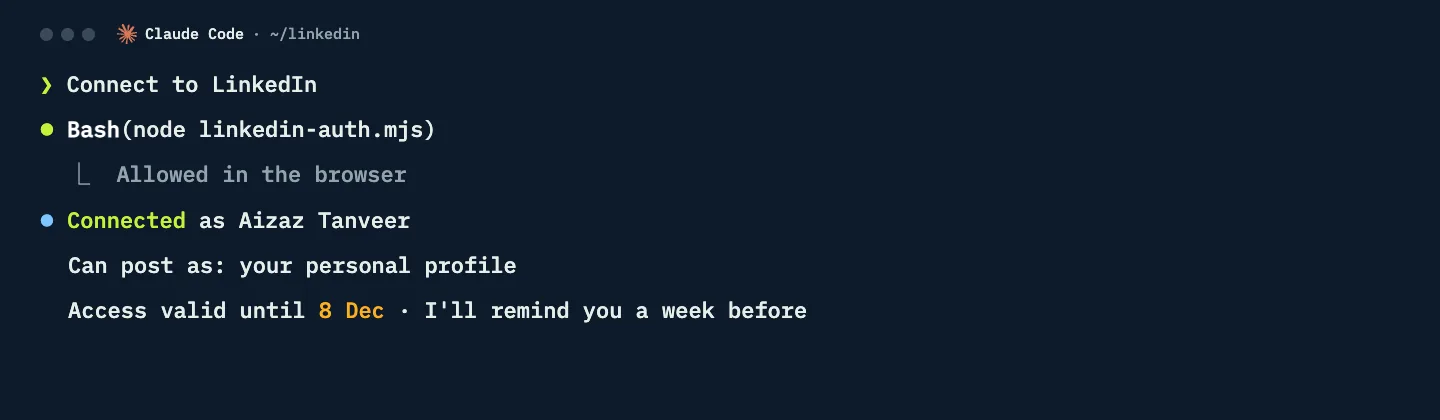
Ask Claude Code to connect to LinkedIn. A browser window opens, you click Allow, and Claude saves the access token in the same private file. LinkedIn access tokens last 60 days, then you sign in again.
- 8
Create the Claude routine
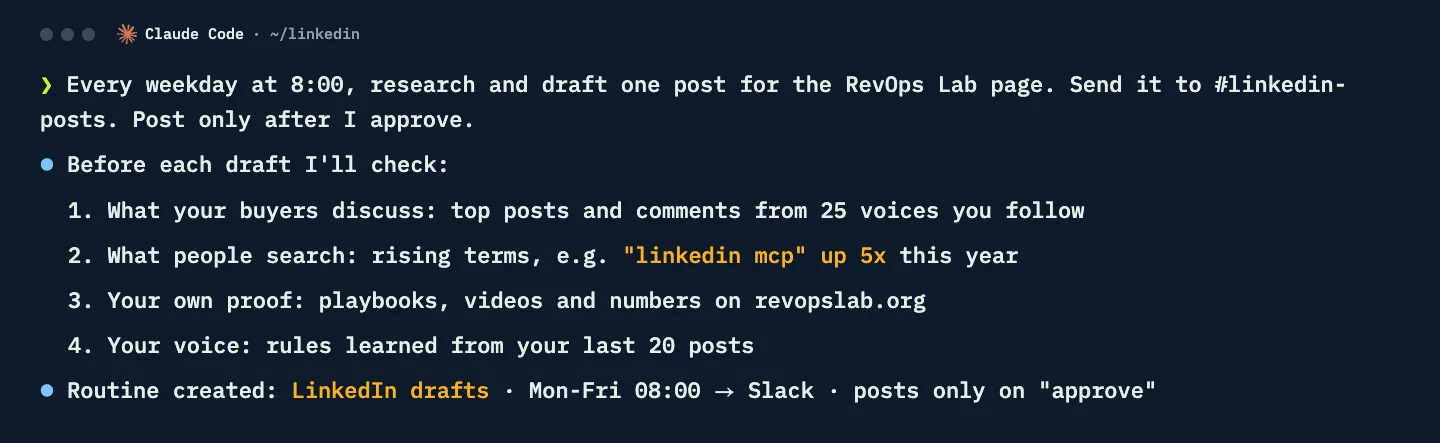
Ask for a routine: "Every weekday at 8:00, research and draft one post for our company page. Send it to Slack. Post only after I approve." The routine runs on its schedule. If you run it in the cloud, store the LinkedIn token as a secret in the routine’s environment rather than in a local file.
Post as your company page
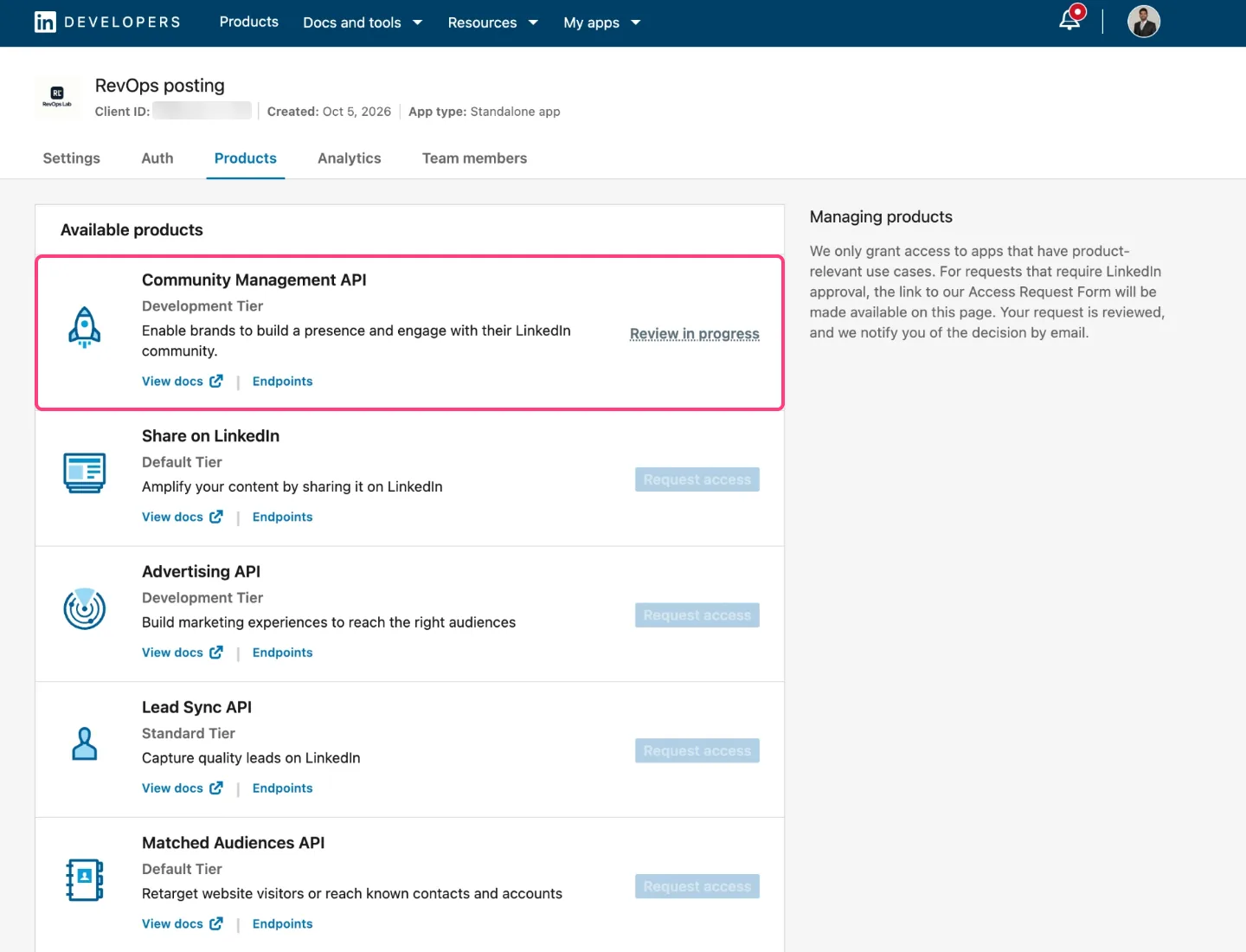
Share on LinkedIn posts as you. To post as your company page, create a second app the same way (steps 1 and 2) and request only the Community Management API. LinkedIn requires it to be the only product in its app, so the other products show as unavailable. After LinkedIn's review, the same Slack flow posts to your page.
Audit your LinkedIn Ads and see which leads became deals
Once the Advertising API is approved, ask in natural language: "Which LinkedIn campaigns are burning money this month?" Claude pulls Campaign Manager data and looks past cost per lead to what turned into pipeline.
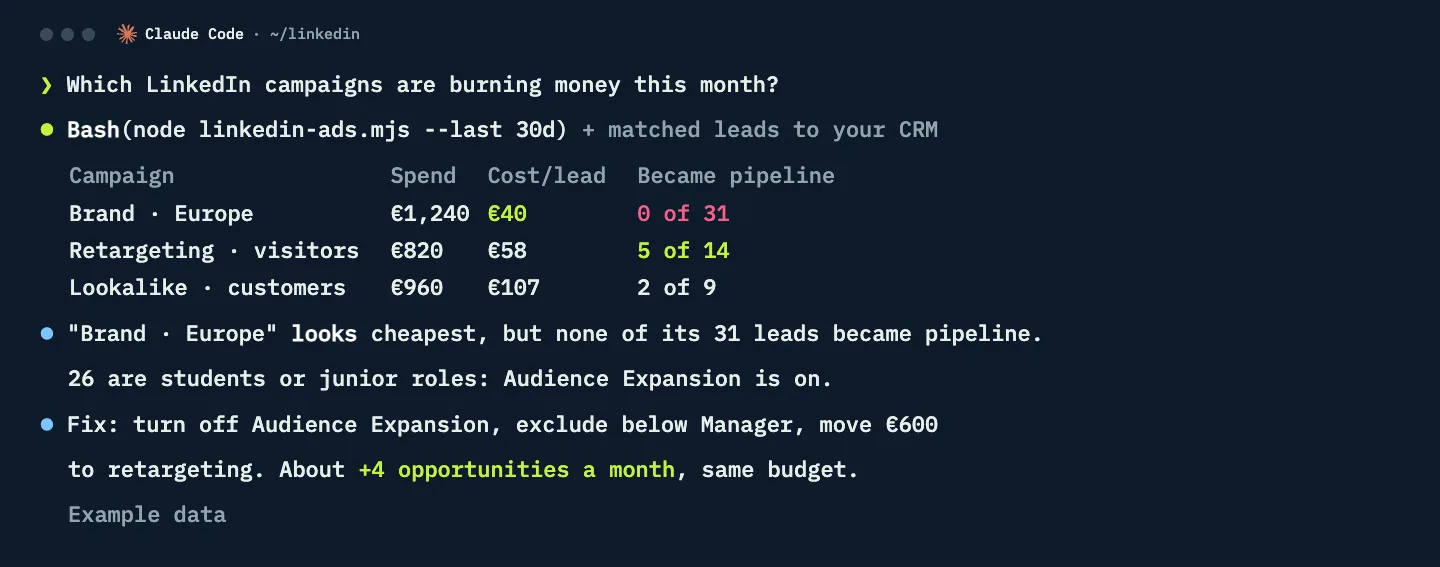
To see which LinkedIn leads became deals, connect HubSpot: in Claude, open Settings, then Connectors, and connect HubSpot. Then ask Claude to create a skill for contacts where Original Traffic Source is Paid Social and Drill-Down 1 is LinkedIn, created in the last 30 days. You get the companies, job titles and which ones reached an opportunity.
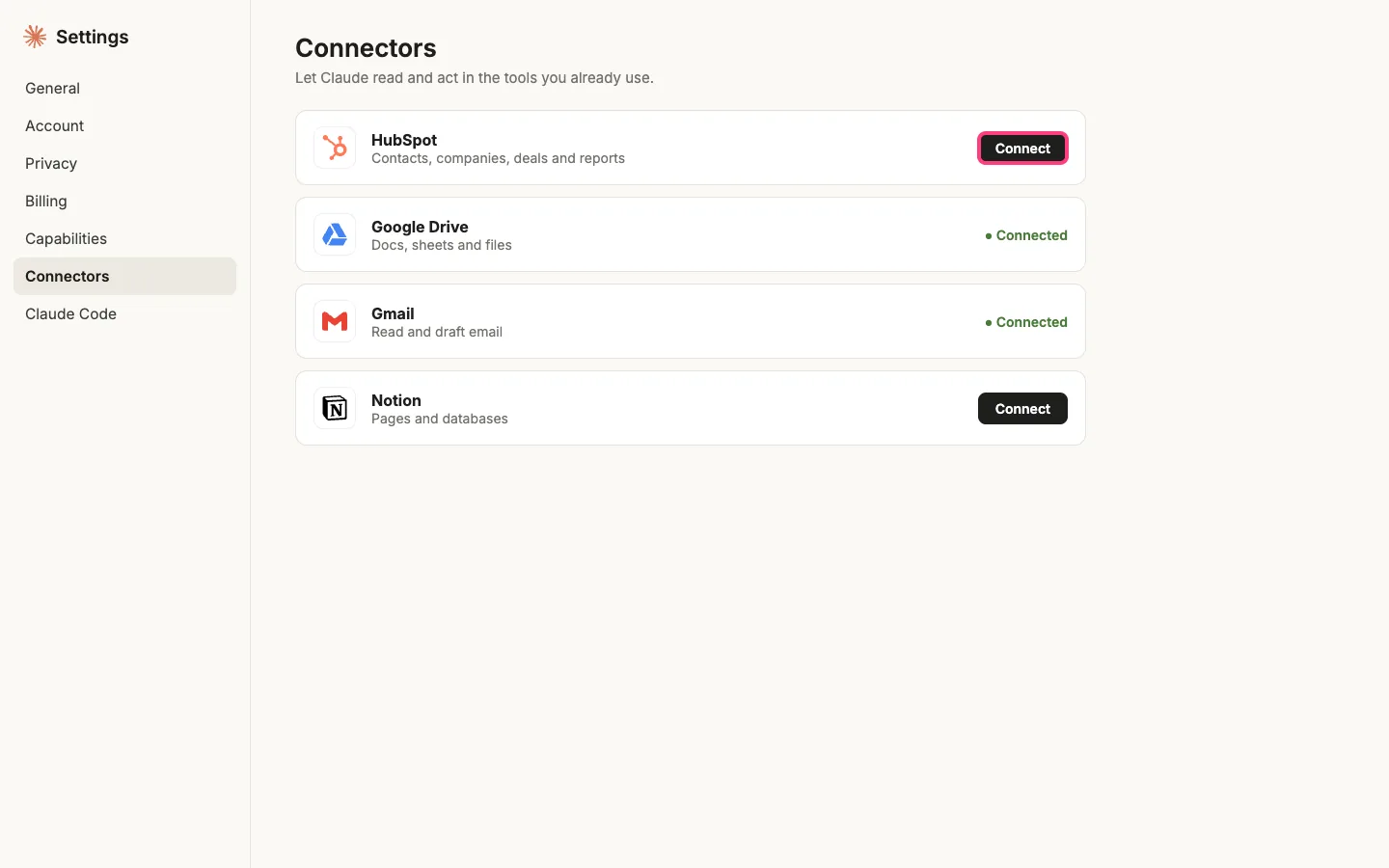
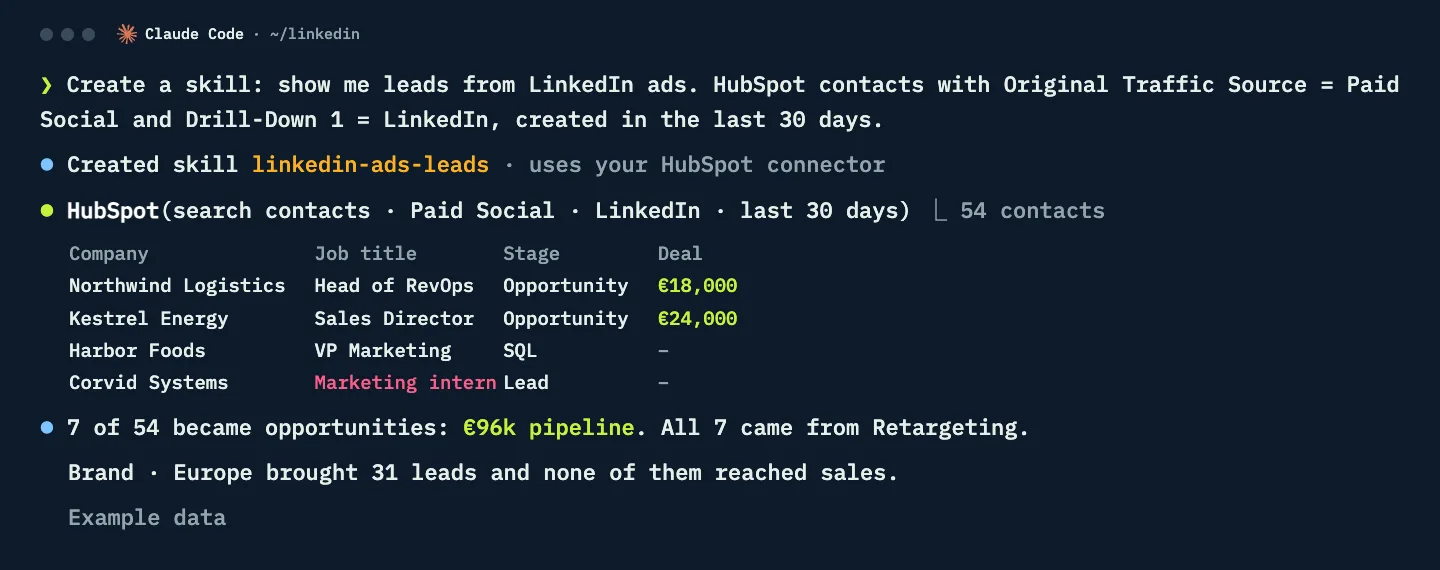
Ad and CRM numbers in these screens are example data.
Teach the routine in one Slack channel
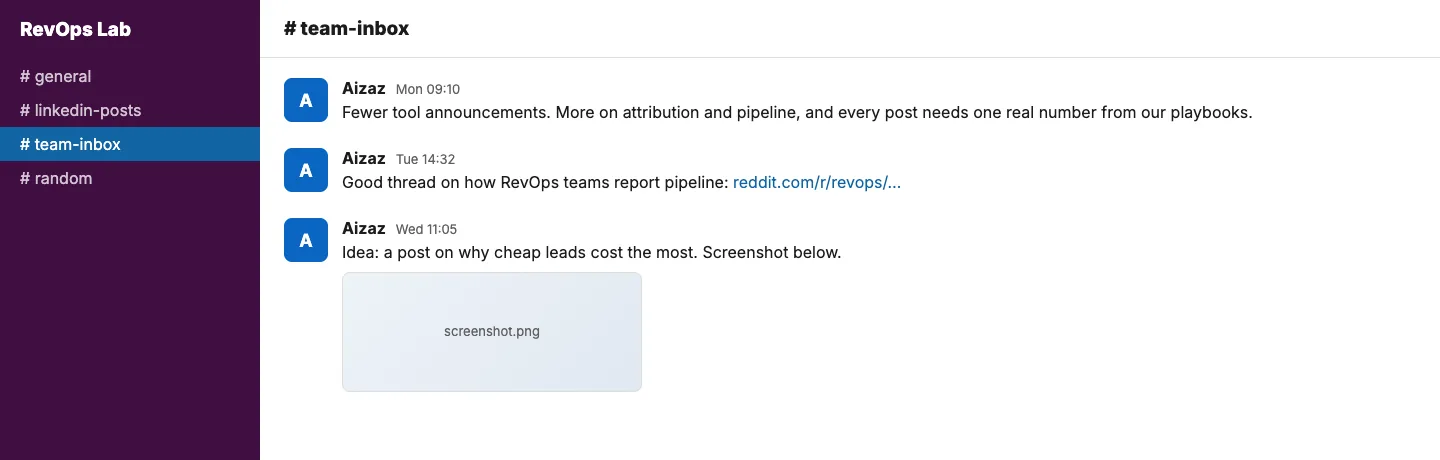
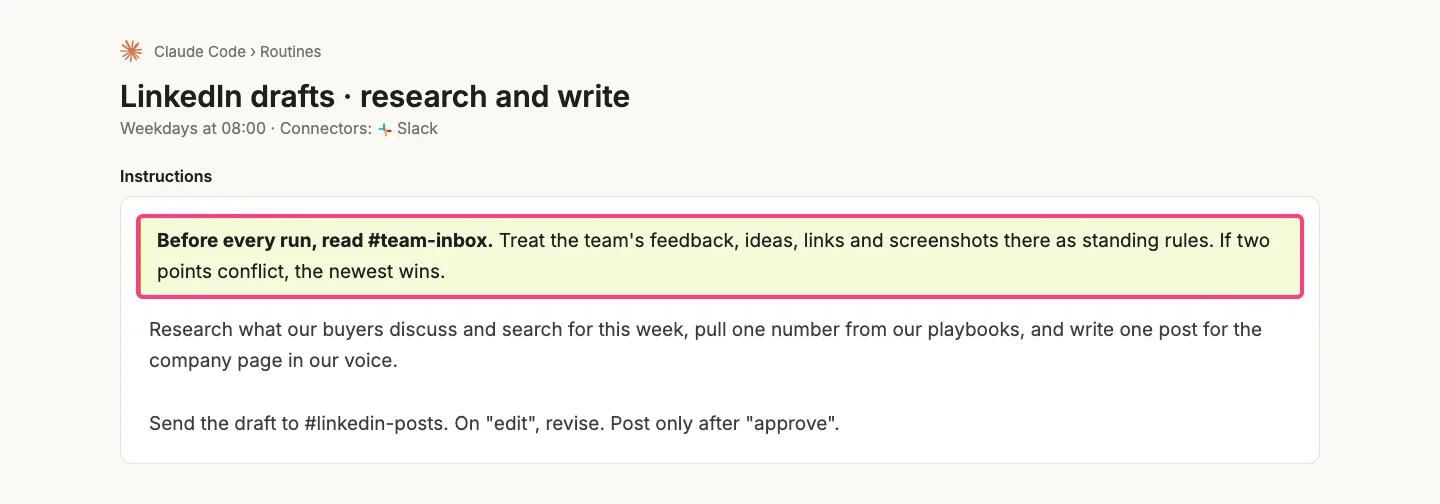
Replying edit fixes one draft. To change every draft after it, keep one Slack channel for feedback, ideas, links and screenshots, and add one line at the top of the routine's instructions: "Before every run, read #team-inbox and treat it as standing rules." If two points conflict, the newest wins. Give it feedback every week: what worked, what missed and what to research next.
What goes wrong
- Adding the Community Management API to your first app. It must be alone in its app. Create a second app for company page posting.
- A missing redirect URL. The sign-in fails with a redirect error. Add the exact link Claude Code gives you under Auth, Authorized redirect URLs.
- Pasting the client secret into chat. Put it in the private file yourself. Chats get logged and shared.
- Forgetting the 60-day expiry. Posts stop when the token expires. Ask Claude to remind you a week before, then sign in again.
- Posting without review. Keep the approve step. Every post goes out under your name or your page's name.
- Automating likes, comments or messages. LinkedIn’s rules prohibit automated activity like this, and it is not what the API is for. Use it to publish your own posts and read your own ads data.
- Judging ads by cost per lead. The cheapest campaign can bring no pipeline. Connect your CRM before you move budget.
Questions people ask
Do I need a LinkedIn MCP server to use Claude with LinkedIn?
No. Claude Code can call the official LinkedIn API directly with a small script and your own LinkedIn app. You create the app, keep the client ID and secret in a private file and sign in once. No third-party MCP server or hosted connector is needed.
Can Claude Code schedule LinkedIn posts?
Yes. A Claude Code routine runs on a schedule, researches and drafts a post, and sends it to Slack or Notion for review. When you reply approve, it publishes the post through the LinkedIn API with a visual and a first comment. Nothing is posted without your approval.
How do I post to a LinkedIn company page with the API?
Posting as a company page needs the Community Management API. LinkedIn requires it to be the only product in its app, so create a second app, request only the Community Management API and wait for LinkedIn’s review. Once approved, the same Slack approval flow posts to your page.
Which LinkedIn API products are approved instantly?
Share on LinkedIn and Sign In with LinkedIn using OpenID Connect are self-serve and approved straight away. The Advertising API and the Community Management API need an application that LinkedIn reviews.
How long does a LinkedIn API access token last?
LinkedIn access tokens are valid for 60 days. When one expires, ask Claude Code to sign in again: you click Allow once more and the new token is saved in your private file.
Can Claude analyse my LinkedIn Ads?
Yes, once LinkedIn approves the Advertising API for your app. Claude Code can pull Campaign Manager data and, with your CRM connected, show which campaigns turned leads into pipeline, not just which ones have the lowest cost per lead.
LinkedIn developer screens are real screenshots with private details blurred; Slack, terminal and Claude screens are rebuilt for this guide with placeholder data. LinkedIn is a trademark of LinkedIn Corporation, HubSpot of HubSpot Inc., Slack of Slack Technologies, Notion of Notion Labs and Claude of Anthropic. RevOps Lab is not affiliated with or endorsed by any of them.
Related